
We’re excited to announce that Rancher Government Solutions has released the Kasm K8s Helm Partner chart for General Availability. This milestone makes it easier than ever for Rancher users to deploy and manage Kasm Workspaces directly within Rancher-supported Kubernetes environments.
With this GA release, Kasm is now officially available through the Rancher Partner Charts Repository, giving organizations a trusted, certified way to deploy Kasm at scale using Kubernetes-native workflows.
Rancher Partner Charts Repository: Background
The Rancher Partner Charts Repository is a curated collection of Helm charts from SUSE partners that are certified to run on Rancher-supported Kubernetes distributions. These charts undergo validation to ensure compatibility, security, and operational reliability.
For users, this means:
- Confidence that partner applications are production-ready
- Simplified deployment through Rancher Manager
- A consistent experience across Rancher-supported Kubernetes platforms
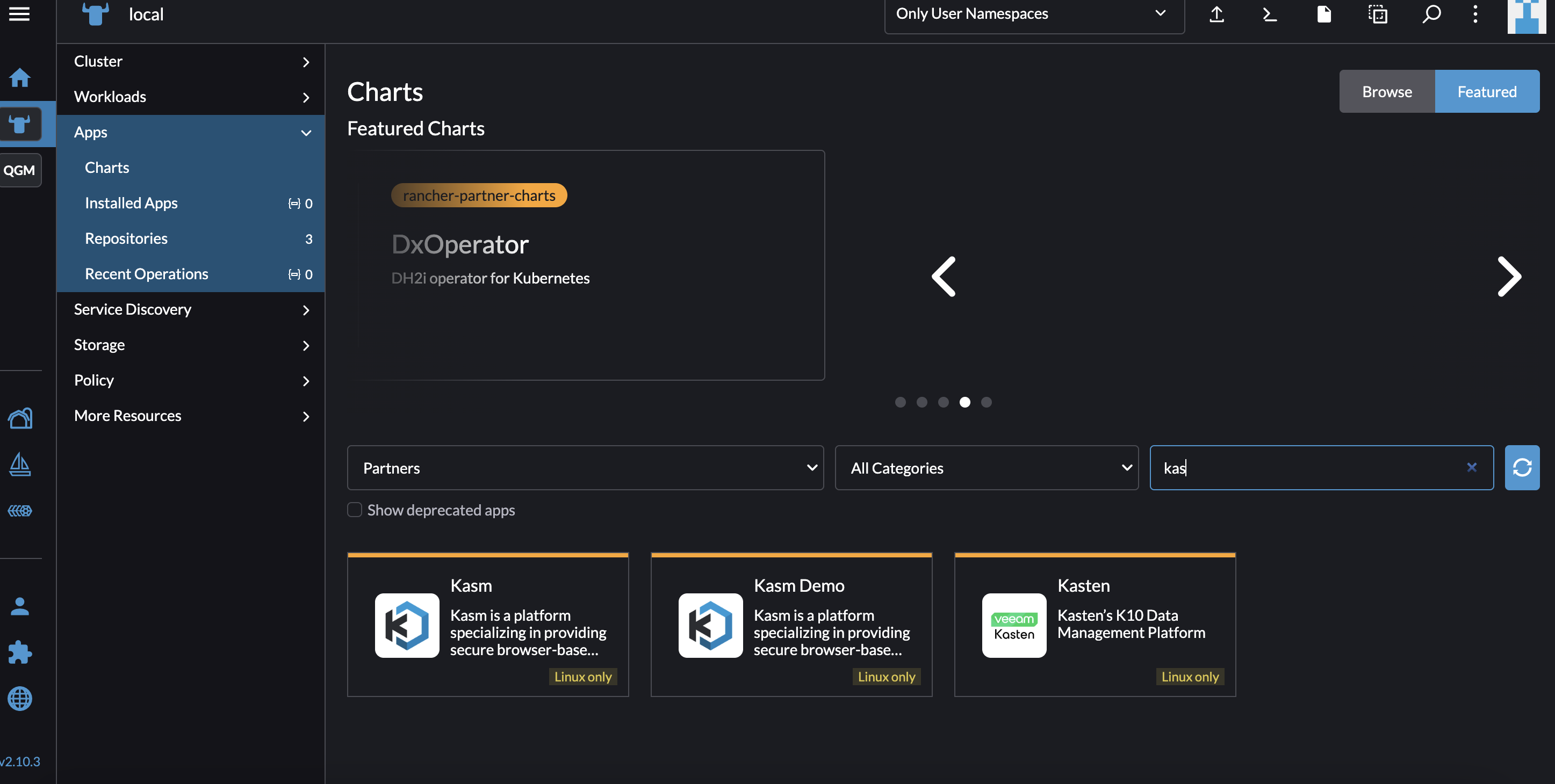
The Kasm Helm Partner Chart is now available directly from the Apps view in Rancher Manager, enabling fast and streamlined deployments without manual Helm configuration.
Kasm Helm Chart Overview
The Kasm Helm chart enables organizations to deploy Kasm Workspaces in Kubernetes with minimal friction. Designed for simplicity and flexibility, the chart allows Kasm to be deployed within minutes, accelerating time to value for development, security, and remote access use cases.
Key benefits include:
- Kubernetes-native deployment
- Rapid installation with minimal configuration
- Seamless integration into existing Rancher-managed clusters
- Support for enterprise-scale, distributed environments
Whether you are deploying Kasm for secure browser isolation, containerized desktops, or remote development environments, the Helm chart provides a fast and repeatable deployment model.
What’s New in Kasm 1.18.1
The GA Helm Partner Chart is based on Kasm 1.18.1, which introduces significant enhancements for Kubernetes and enterprise deployments.
Faster, Easier Deployments
Kasm continues to focus on ease of deployment, allowing teams to go from zero to a fully functional Kasm environment in minutes using Helm and Rancher.
Multi-Zone and Multi-Region Support
Kasm 1.18.1 improves support for multi-zone and multi-region Kubernetes deployments, enabling highly available and geographically distributed Kasm environments.
This is particularly valuable for:
- Global enterprises
- Disaster recovery strategies
- Performance optimization across regions
Upgrade and Migration Support
Organizations running older versions of Kasm or VM-based deployments can now:
- Upgrade existing Kasm installations
- Migrate from VM-based deployments to Kubernetes-backed deployments
This makes it easier to modernize infrastructure while preserving existing investments.
Expanded Configuration Options
Kasm 1.18.1 significantly expands Helm configuration flexibility, including:
- Custom annotations and labels on Kubernetes resources Enables tighter integration with existing Kubernetes tooling, monitoring, and policies.
- Certificate Manager support Simplifies TLS certificate management and automation.
- Automated database backup support Improves operational resilience and disaster recovery planning.
- Offline image configuration Allows administrators to define Kasm image URLs for environments without internet access.
- Additional Kubernetes objects Supports adding custom Kubernetes resources as part of the Helm deployment for advanced use cases.
Deploy Kasm with Rancher Today
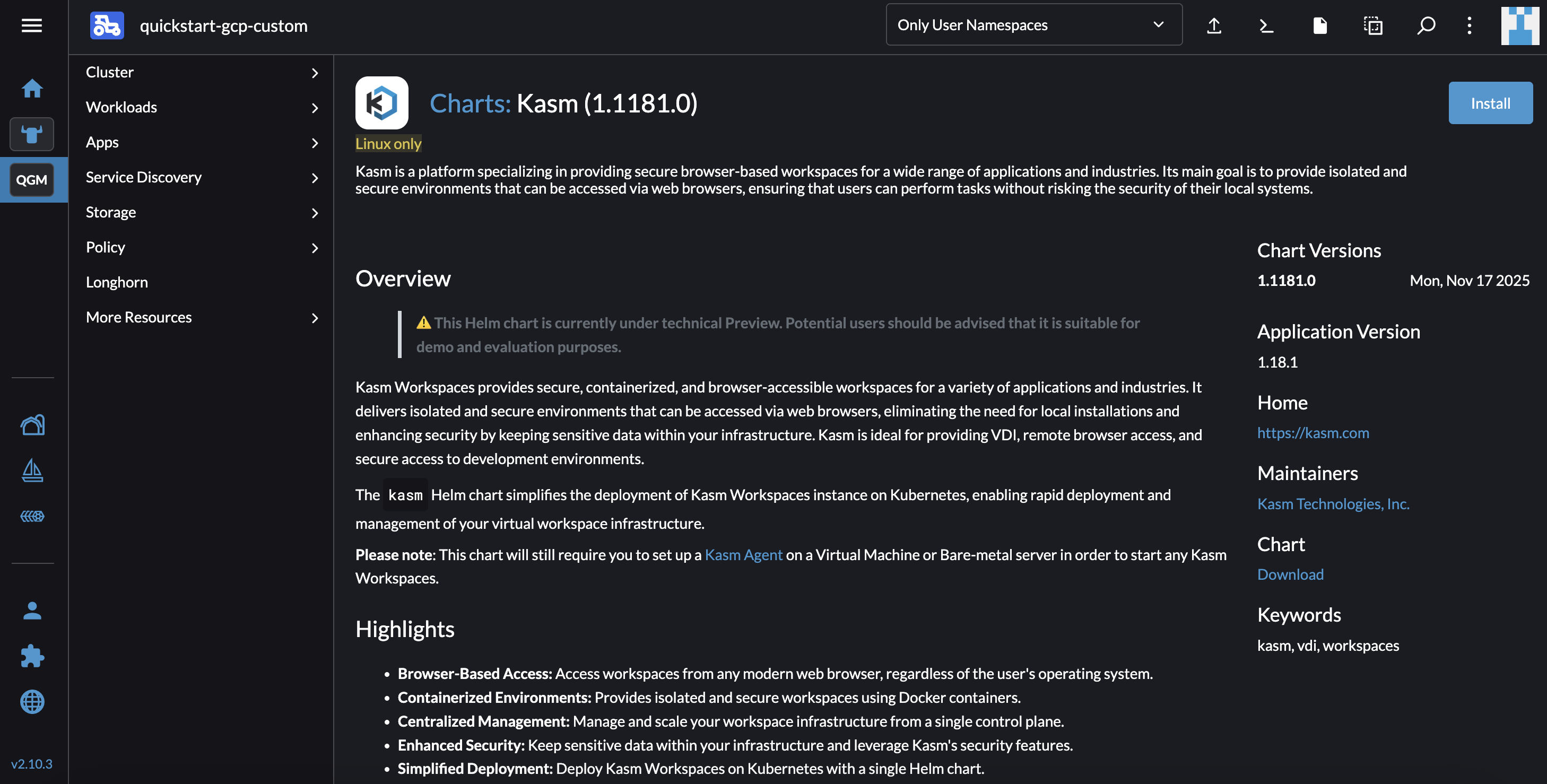
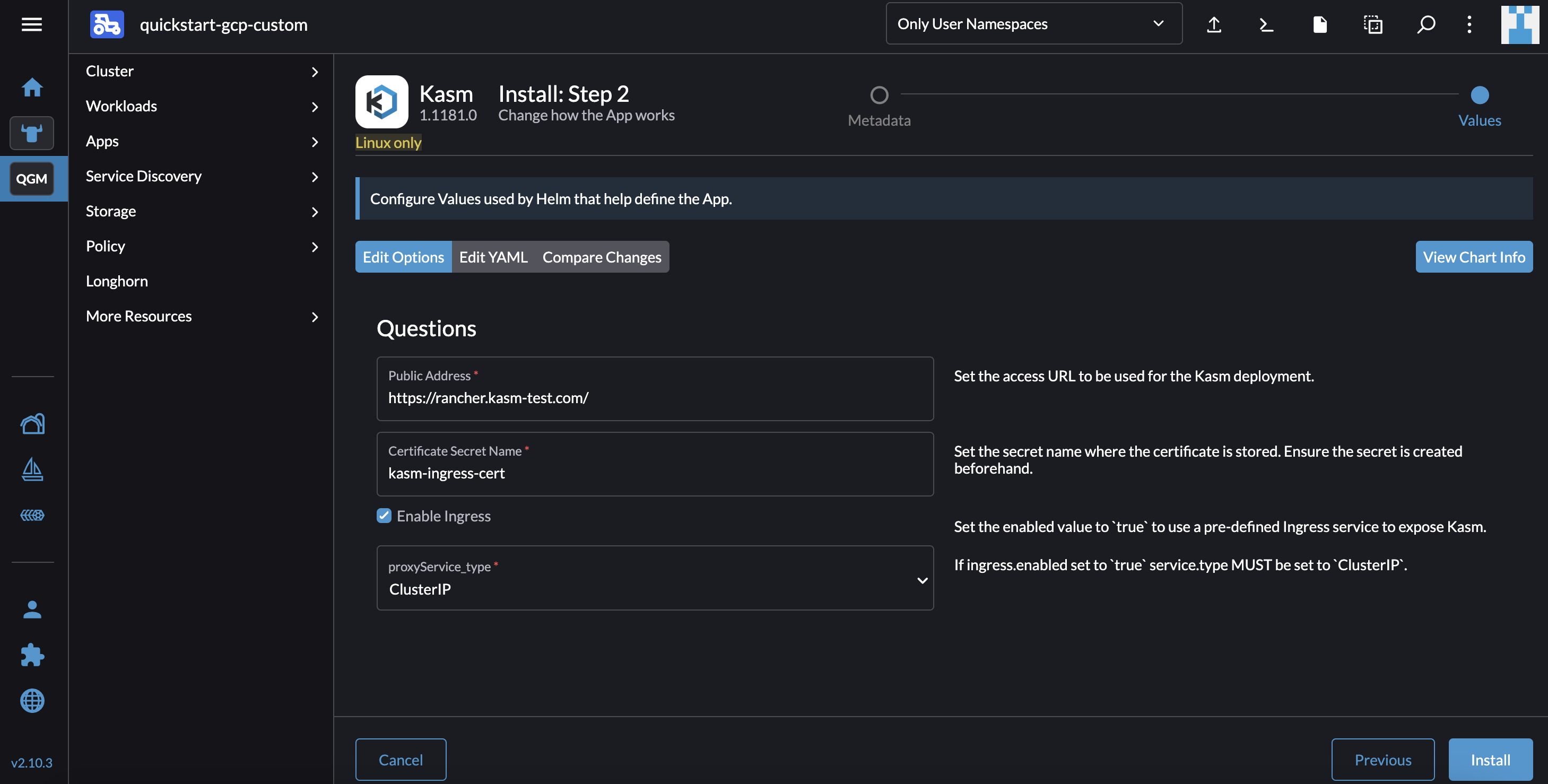
With the Kasm Helm Partner Chart now generally available in the Rancher Partner Charts Repository, Rancher users can deploy Kasm with confidence, speed, and scalability.
To get started:
- 1.Open Rancher Manager
- 2.Navigate to the Apps view
- 3.Select the Kasm Helm Partner Chart
- 4.Deploy Kasm into your Rancher-managed Kubernetes cluster
This GA release reinforces Kasm’s commitment to first-class Kubernetes support and enterprise-ready deployments.
.png)
Learn more about the Kasm and Rancher Alliance Partnership.
For more details, documentation, and deployment guides, visit kasm.com.